- Published on
Anonymising n8n Workflows for Sharing
- Authors

- Name
- Chris
- @molehillio
Introduction
n8n allows you to export workflows as JSON files, which is great for sharing workflows with others. This is useful when you need to share it with your team, and a great way of showing your workflows publicly as well. However, sharing a workflow can have hidden dangers! In this article, we will be covering how to export and download workflows, what (potentially sensitive) information they contain, and how you can anonymize this info.
This article contains affiliate links. If you sign up through our links, we may earn a commission at no extra cost to you.
Table of Contents
- Sharing a Workflow in n8n
- Sensitive Information
- Anonymising the JSON Workflow
- Conclusion
- Frequently Asked Questions
- Does n8n remove credentials when you export a workflow?
- What sensitive data can accidentally be exposed in an n8n workflow JSON?
- Is it safe to share n8n workflows publicly on GitHub or in forums?
- What is the n8nanon tool?
- Can secret keys in n8n Crypto nodes be exposed when sharing workflows?
- How do I safely share an n8n workflow with a team member or client?
Sharing a Workflow in n8n
To share a workflow in n8n, all you need to do is click the Download button in the dropdown menu in the top right of the page.
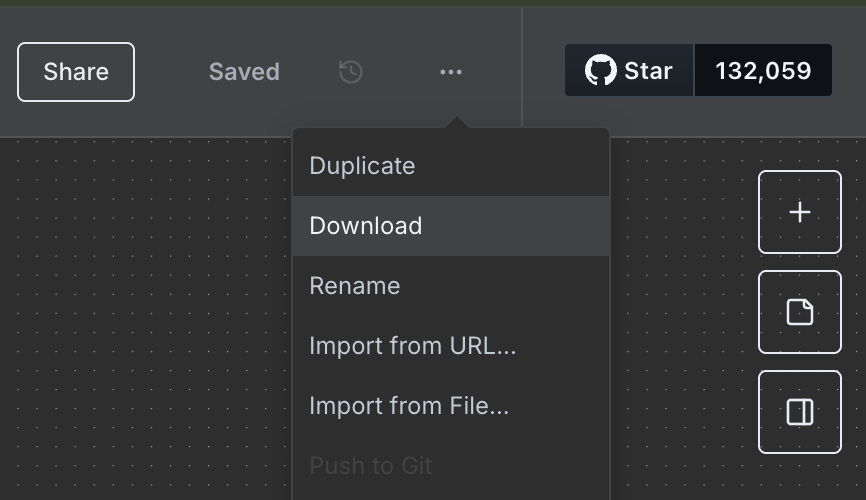
Your workflow will be downloaded as a JSON file. This is a human readable file, that can be uploaded or shared with others via email, messaging apps, as well as any other platform that allows file uploads.
This can be a very useful feature when it comes to sharing a useful workflow with your team, or potentially even sharing it online with the public. All of the information needed to make your workflow work, is contained within the JSON file. In order to use it, you can click Import in n8n to upload the workflow. You can also just Copy + Paste the JSON into an empty n8n project as well.
Sensitive Information
By default, n8n removes credentials from your workflow. For instance, if you create a Google OAuth2.0 credential to connect to google sheets, then your Client ID and Client Secret will be removed from your exported JSON.
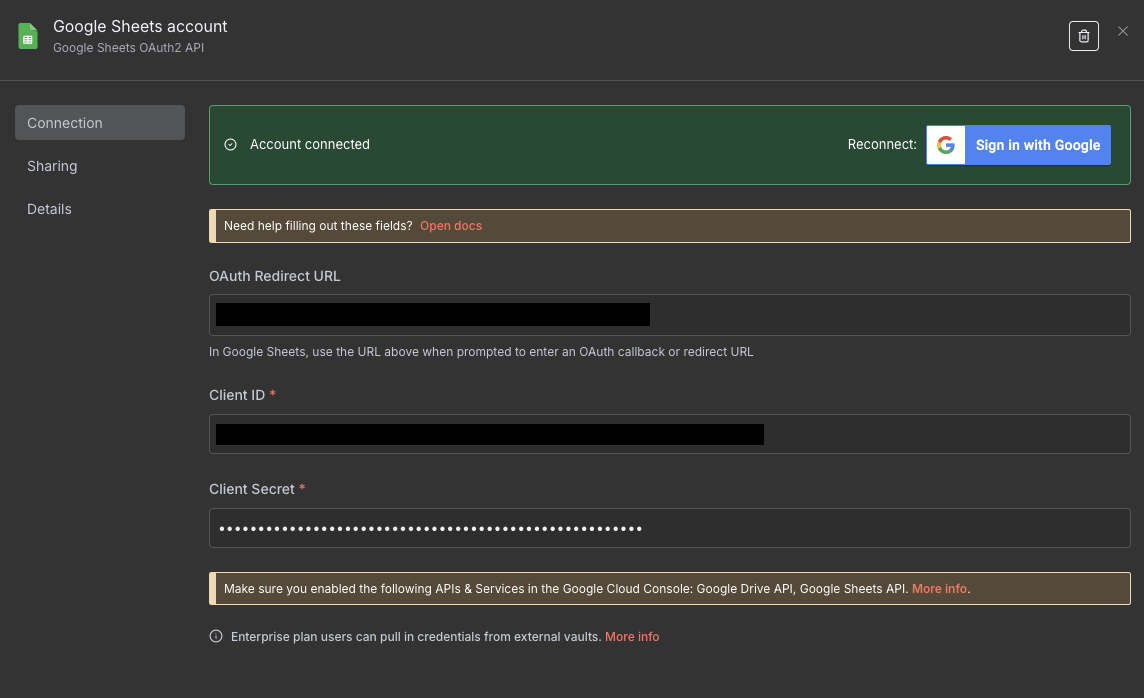
For instance, if you add a google credential such as the one above, the credential in your JSON file will look something like this:
"credentials": {
    "googleSheetsOAuth2Api": {
        "id": "aAbBcCdDeEfFgGhH",
        "name": "Google Sheets account"
    }
}
As n8n points out in their documentation, the id in this JSON is not actually sensitive, so can in theory be shared. Apart from credentials however, everything else you put in your workflow will be shared.
In most cases this is fine. However, just because some information is not a username / password, or an API key, doesn't necessarily mean that it is not potentially sensitive. For instance, consider that you are working on a n8n project for a client Company A, that automates competitor analysis and writes the results to a spreadsheet. Say that this spreadsheet is called Company A Competitor Analysis.
You decide later to reuse this workflow for someone else, as it is useful for other clients as well. You share the workflow, but now you find the following in the file:
"sheetName": {
  "__rl": true,
  "mode": "list",
  "value": "gid=0",
  "cachedResultUrl": "https://docs.google.com/spreadsheets/d/...",
  "cachedResultName": "Competitor B Mentions"
},
"documentId": {
  "__rl": true,
  "mode": "list",
  "value": "abcdefghijklmnopqrstuvwxyzABCDEFGHIJKLMNOPQR",
  "cachedResultUrl": "https://docs.google.com/spreadsheets/d/...",
  "cachedResultName": "Company A Competitor Analysis"
}
Oops. By sharing the data within the sheet, you have potentially revealed:
- Company A is your client
- Company A is monitoring Company B for competitor information
- The URL of the sheet (hopefully this is private)
Naturally, you might say that this is maybe obvious, and not that problematic. However, it is best to always limit data shared as much as possible. For instance, what if whoever set up the sheet made a mistake and made it public? Now everyone can see it!
How about another example. Say that you are working on a secret project for your startup, and are using a generic n8n workflow to automate a task, and send a slack message to a channel every time the task is completed. You share the workflow to someone else, assuming that all of the credentials are redacted. They are, but how about this:
"parameters": {
  "text": ":tada: The task is complete!",
  "channel": "super-secret-project"
}
Oops. By accidentally sharing the slack channel name, you have revealed the existence of the secret project that your company is working on. That might be an issue if a competitor finds out!
The problems can occur not just with revealing names. For certain nodes, it is possible to reveal much more problematic information. For instance, consider the Crypto node which in n8n is used for various cryptographic operations. In this case, we can use the node to create a HMAC (a type of authorisation hash) for some data with a secret key. You can see the setup below:
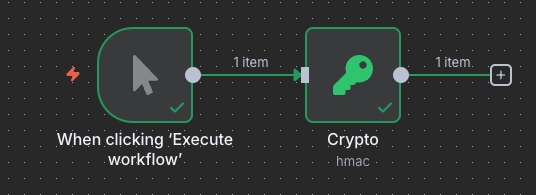
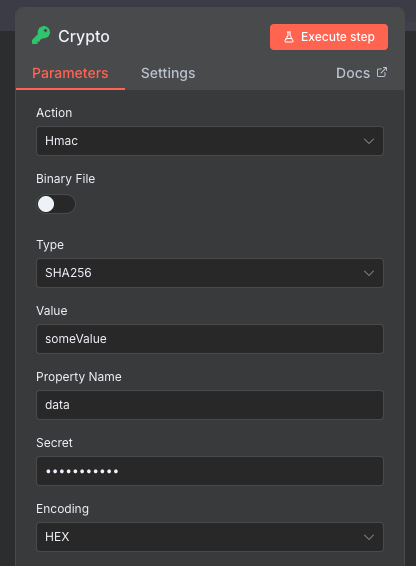
The key is hidden in the UI, which is good. How about when we download the JSON?
"parameters": {
  "action": "hmac",
  "type": "SHA256",
  "value": "someValue",
  "secret": "mySecretKey"
},
Oops. Our secret key is actually stored in plaintext in the JSON. If you share this, then anyone now can use that key for potentially nefarious purposes. I actually raised this with the n8n team who are aware, and there is actually already a GitHub issue for this.
The general point here is that not only credentials are sensitive. Other information in your workflow can be sensitive too. Some more, some less, but the goal should be to limit the amount of such information that goes out, just in case.
Anonymising the JSON Workflow
The first time I shared a workflow, was when working on my Reddit scraper tutorial. I went through each node in the JSON, and manually removed anything I thought might be potentially sensitive.
I figured it might be worth building something to automate this. To that end, I built a small tool called n8nanon. I have hosted a version of it on this site, and you can find it here. You can also find the source code for it on GitHub.
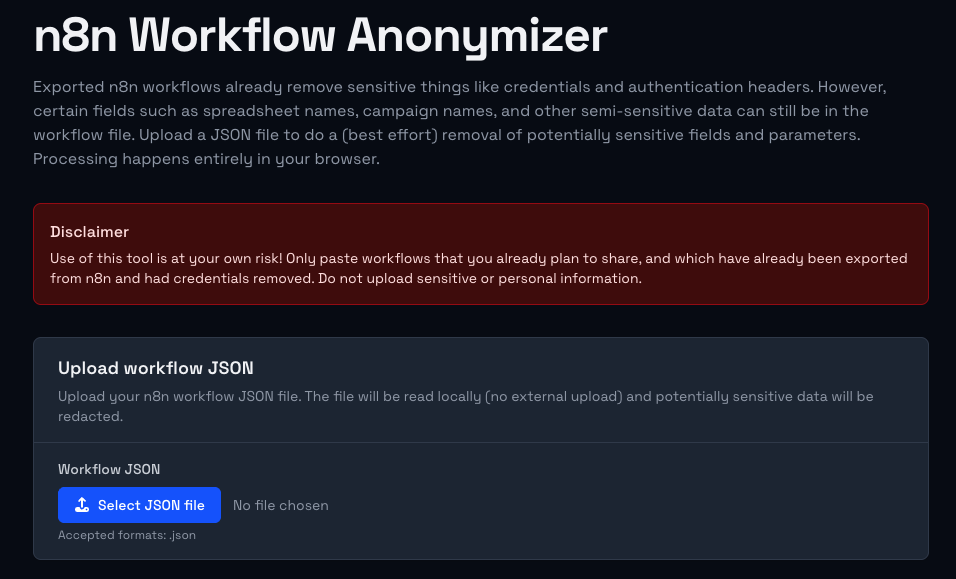
The way this tool works is that it goes through each node in your workflow, and looks for potentially sensitive parameters inside it. It applies the following rules:
- If any
credentialsare found for the node, they are removed. Even though these are technically safe to share, the name could be potentially sensitive - If any "sensitive" parameters for the node are found such as spreadsheet names, channel names, etc, then these are redacted (more on this below).
- If any of the sensitive parameters are expressions (ie. contain
{{ }}) then these will be left as is, as it is assumed that they are required for the workflow to work.
Now, there are close to 600 nodes available in n8n. I therefore had to use some automation, as well as AI to try and figure out which parameters might be sensitive. It is possible that some parameters might not actually be sensitive, and the workflow itself may not function after. You should verify that everything works correctly after the anonymisation. This tool therefore should be considered experimental, and should be used solely at your own risk.
To use the tool, simply take your downloaded workflow JSON file, and click on the Select JSON File button to upload it.
NOTE
The n8nanon tool works purely in your browser, and nothing is actually uploaded anywhere. However, it goes without saying that you should only use online tools for things you were planning to share anyway. For additional privacy you should run the tool on your local machine.
I'm going to upload the Reddit workflow that I used from the tutorial. You can see from the video below how the file is uploaded, and each node is run through the anonymizer. If sensitive parameters are detected, then they are removed and the difference is shown in the summary.
If any errors occur, or the node is not recognised by the tool, a custom widget will show up, allowing you to edit the node manually. This means you can review any ambiguous cases, and correct them or ignore them as needed. In the image below, I created a fake unknownNode which is not a real n8n node. You can see that the tool gives us the option to check the node manually.
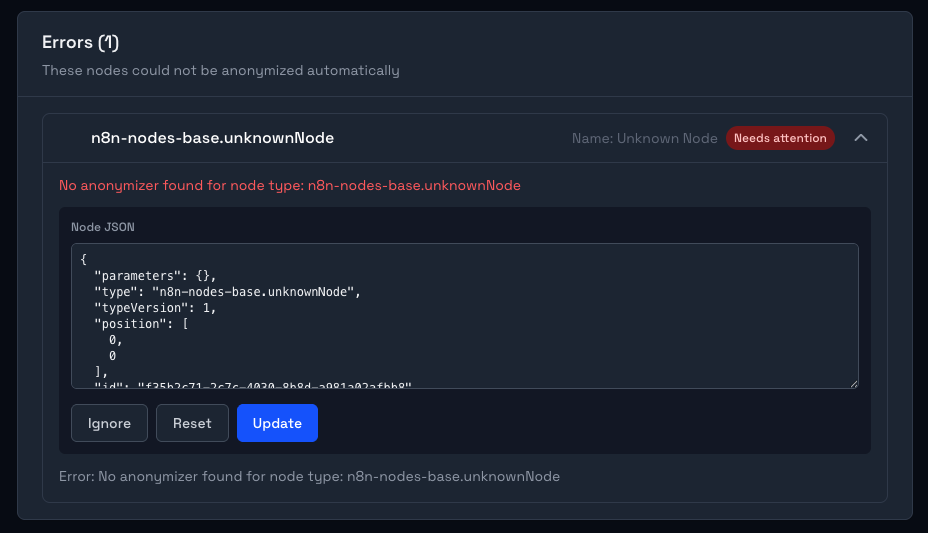
Once the changes are done, you can download the final anonymised JSON workflow file by clicking the Download anonymized JSON button in the bottom right hand corner.
Conclusion
As you can see, you need to be careful when sharing workflows online! Exposing (potentially) sensitive data can be problematic not only for you, but also for your clients. As mentioned earlier, the n8nanon tool is pretty experimental right now, and also it is still a work in progress. If you have any suggestions or bugs you have found, please raise an issue on GitHub, or contact us directly.
Stay safe out there!
Frequently Asked Questions
Does n8n remove credentials when you export a workflow?
Yes, but only the credential values themselves. When you download a workflow as JSON, n8n strips the actual credential data (API keys, OAuth tokens, etc.) and replaces them with just the credential name and an internal ID. The ID is not sensitive. However, the credential name can be revealing. For example, a credential called "Client A Production API Key" tells anyone who reads the file that you work with Client A.
What sensitive data can accidentally be exposed in an n8n workflow JSON?
More than most people expect. Beyond credentials, exported workflows can contain spreadsheet names (including the full Google Sheets URL), Slack channel names, custom prompt text (which might reference internal projects or client names), secret keys used in Crypto nodes (stored in plaintext in the node parameters), webhook paths, and any hardcoded values you have typed into node configuration fields. The rule of thumb is: if you typed it into a node, it is probably in the JSON.
Is it safe to share n8n workflows publicly on GitHub or in forums?
It can be, but only after thorough review. The safest approach is to run the workflow through a tool like n8nanon first, which automatically scans for known sensitive parameters and redacts them. After that, manually review the output to catch anything the tool might have missed. For workflows that handle client data or internal business logic, extra care is warranted even if no obvious secrets are visible.
What is the n8nanon tool?
n8nanon is a browser-based tool built specifically to help anonymize n8n workflow JSON files before sharing. You upload your downloaded workflow file, and it scans each node for potentially sensitive parameters (spreadsheet names, channel names, secret keys, etc.) and redacts them. The tool runs entirely in your browser and does not upload anything to a server. You can use the hosted version at /tools/n8nanon or run it locally from the GitHub repository. It is experimental and should be used alongside a manual review, not as a complete substitute for one.
Can secret keys in n8n Crypto nodes be exposed when sharing workflows?
Yes. The Crypto node in n8n stores the secret key used for operations like HMAC signing directly in the node's parameters, in plaintext, in the exported JSON. This means if you share a workflow containing a Crypto node with a secret key configured, anyone who receives the file can see that key. This is a known issue and has been raised with the n8n team. Until it is resolved, always redact the secret parameter from Crypto nodes before sharing any workflow that uses them.
How do I safely share an n8n workflow with a team member or client?
Download the workflow JSON, run it through n8nanon, then manually review the result for anything the tool flagged or missed. Replace any real values (spreadsheet names, channel names, project-specific text) with generic placeholders like [YOUR_SPREADSHEET_NAME] so the recipient knows what to fill in. Share the sanitised file via a secure channel, and make sure the recipient knows they will need to set up their own credentials before the workflow will function.